


Smart locks have become increasingly common in modern homes, but many people remain unsure about what's actually happening inside that sleek device on their front door. How does tapping your phone unlock a deadbolt? How does your fingerprint become a key? And how secure is all of this, really? This article breaks down the technology behind smart locks in plain language — no engineering degree required.
The Core Mechanism: Still a Deadbolt
Let's start with the most important point: at their heart, smart locks are still deadbolts. The physical locking mechanism — the bolt that extends into the door frame — is the same fundamental technology that has secured homes for over a century.
What smart locks add is an electronic control layer on top of that mechanical foundation. Instead of a physical key rotating a cylinder to move the bolt, an electric motor receives a signal and turns the bolt automatically. The motor is small, quiet, and powerful enough to move the bolt in a fraction of a second.
This is why smart locks don't require you to replace your entire door hardware. Most models simply replace the interior portion of your existing deadbolt, leaving the exterior cylinder and strike plate in place. The mechanical security you already have stays intact — the smart lock simply adds electronic control on top of it.
Wireless Communication: How Your Phone Talks to Your Lock
The most common question people ask is: how does my phone open my door? The answer lies in wireless communication protocols — the languages that devices use to talk to each other.
Bluetooth Low Energy (BLE)
Bluetooth is the most common communication method for smart locks. Specifically, modern smart locks use Bluetooth Low Energy (BLE), a version of Bluetooth designed to use minimal battery power while maintaining a reliable connection.
When you open your smart lock app and tap "Unlock," your phone broadcasts a Bluetooth signal containing an encrypted command. The lock's Bluetooth receiver picks up that signal, verifies the encryption, and if everything checks out, instructs the motor to retract the bolt.
The range is typically 30 to 50 feet — enough to unlock your door as you walk up the driveway. Auto-unlock features use this same technology, with the lock monitoring your phone's Bluetooth signal and triggering the unlock when your signal strength indicates you're close enough.
Wi-Fi
Wi-Fi connectivity takes smart locks to the next level by enabling remote access from anywhere in the world. A Wi-Fi enabled smart lock connects directly to your home network, just like your laptop or smart TV.
When you lock or unlock remotely through the app, the command travels from your phone to the lock manufacturer's cloud servers, and from there to your lock via your home Wi-Fi network. This round trip happens in seconds, giving you real-time control regardless of where you are.
The trade-off is battery consumption. Wi-Fi radios use significantly more power than Bluetooth, which is why many Wi-Fi enabled locks use a hub-based approach — a small hub plugged into a power outlet near your router handles the Wi-Fi connection, while the lock itself communicates via Bluetooth or Z-Wave to conserve battery life.
Z-Wave and Zigbee
Z-Wave and Zigbee are mesh networking protocols designed specifically for smart home devices. Unlike Wi-Fi, which connects devices directly to your router, Z-Wave and Zigbee devices form a mesh network where each device can relay signals to other devices nearby.
This makes them extremely reliable — if one path in the mesh is blocked, the signal finds another route. Z-Wave operates at 908.42 MHz (in the US), which means it doesn't compete with the crowded 2.4GHz band used by Wi-Fi and Bluetooth. This results in very stable, interference-free communication.
The downside is that Z-Wave and Zigbee locks require a compatible smart home hub — devices like Samsung SmartThings, Amazon Echo (4th gen), or dedicated hubs — to function with your smartphone.
Matter and Thread
Matter is the newest smart home standard, developed collaboratively by Apple, Google, Amazon, and dozens of other companies. It's designed to solve the compatibility problem that has plagued smart home devices for years.
A Matter-certified smart lock works natively with Apple Home, Google Home, Amazon Alexa, and any other Matter-compatible platform — no separate hub required, no compatibility guessing. Thread, the underlying networking protocol for Matter, creates a low-power mesh network similar to Zigbee but with better range and reliability.
For consumers buying smart locks today, Matter certification is the safest long-term investment.
Authentication: How the Lock Knows It's You
Unlocking a door with your phone or a PIN code raises an obvious question: how does the lock know it's really you and not someone who stole your phone or guessed your code?
Encryption
All communication between your smartphone and your smart lock is encrypted using AES (Advanced Encryption Standard) — specifically AES-128 or AES-256. This is the same encryption standard used by banks and governments worldwide. An encrypted signal looks like complete nonsense to anyone intercepting it — decoding it without the correct key would take more computing power than currently exists on Earth.
Rolling Codes
Many smart locks use rolling codes — also called one-time codes — for Bluetooth communication. Every time you unlock your door, the code used is different. Even if someone intercepted the Bluetooth signal from your previous unlock command, that code would be useless for future unlocks. This prevents replay attacks, where a hacker records a signal and plays it back later.
PIN Codes and Keypads
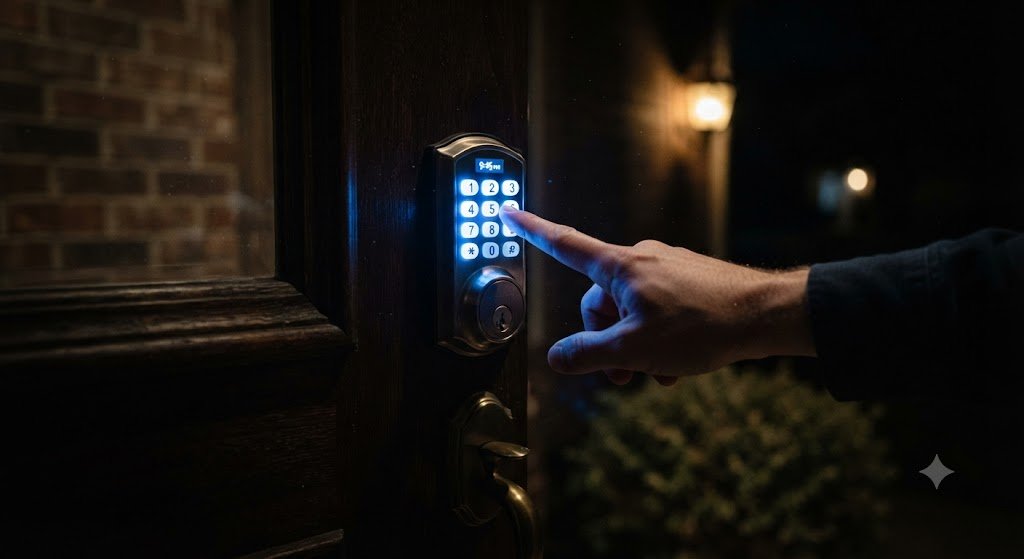
PIN codes are stored in the lock's encrypted memory and never transmitted wirelessly. When you press a code on the keypad, the lock compares it against its stored codes locally — no internet connection required, no interception possible.
Good smart locks also include brute-force protection: after a set number of incorrect attempts (typically 5), the keypad locks for a period of time and sends an alert to your phone.
Biometric Authentication: Fingerprint Scanners
Fingerprint scanners use optical or capacitive sensors to capture a detailed image of your fingerprint. This image is converted into a mathematical template — not a photograph — and stored in the lock's encrypted memory.
When you press your finger on the scanner, the sensor captures a new image and converts it to a template. The lock then compares this template against its stored templates mathematically. If the match score exceeds the threshold, the door unlocks. This all happens in under a second.
The key security feature here is that your actual fingerprint image is never stored — only the mathematical representation. Even if someone extracted the lock's memory, they couldn't reconstruct your fingerprint from the stored data.
Auto-Lock: The Technology of Forgetting
Auto-lock is one of the most practically valuable smart lock features, and it works through a simple timer. When the door closes (detected by a door sensor or accelerometer in some models), a countdown begins. When the timer expires, the lock motor activates and extends the bolt.
More sophisticated auto-lock implementations use the door's position sensor to confirm the door is fully closed before engaging the lock — preventing the bolt from extending into an open doorway.
Tamper Detection and Alerts
Most smart locks include an accelerometer — the same sensor your smartphone uses to detect orientation. If the lock is subjected to physical force — someone trying to pry it open or hit it with a hammer — the accelerometer detects the unusual movement and sends an immediate alert to your smartphone.
Some models also include a microphone that detects the specific sound frequencies associated with drilling or picking, triggering an alert before visible damage occurs.
The Cloud: What Data Your Lock Sends
Smart locks do communicate with cloud servers — primarily for remote access, activity logs, and firmware updates. Reputable manufacturers encrypt all data both in transit (using TLS) and at rest (using AES encryption on their servers).
Your lock's activity log — who unlocked it and when — is stored in the cloud and accessible through the app. This data is tied to your account and protected by your app password and, ideally, two-factor authentication.
DELFA Locks uses end-to-end encryption for all cloud communication and does not sell or share user data with third parties.
Firmware Updates: Security That Improves Over Time
One of the most underappreciated advantages of smart locks over traditional locks is the ability to receive firmware updates. If a security vulnerability is discovered, the manufacturer can push a fix directly to your lock over Wi-Fi — no locksmith, no replacement hardware required.
This means your DELFA lock gets more secure over time, not less. Traditional locks, by contrast, have fixed security forever — whatever vulnerabilities existed on the day they were manufactured will exist until they're replaced.
Putting It All Together
When you walk up to your front door and your smart lock automatically unlocks as you approach, here's what's happening in less than a second:
Your phone's Bluetooth broadcasts a proximity signal.
The lock detects your phone's signal strength exceeding the threshold.
The lock sends an encrypted challenge to your phone.
Your phone responds with an encrypted authentication token.
The lock verifies the token using its stored encryption key.
The motor activates and retracts the bolt.
All of this happens invisibly, instantly, and securely. That's the technology behind smart locks — and why they represent not just a convenience upgrade, but a genuine security advancement over traditional mechanical locks.